Zen Passwords
iPhone · iPad · MacYour digital life. Under
lock.
Store passwords, passkeys, cards and one-time codes in an encrypted vault for iPhone, iPad and Mac. No Zen account. Optional private iCloud sync.

A little less to remember.
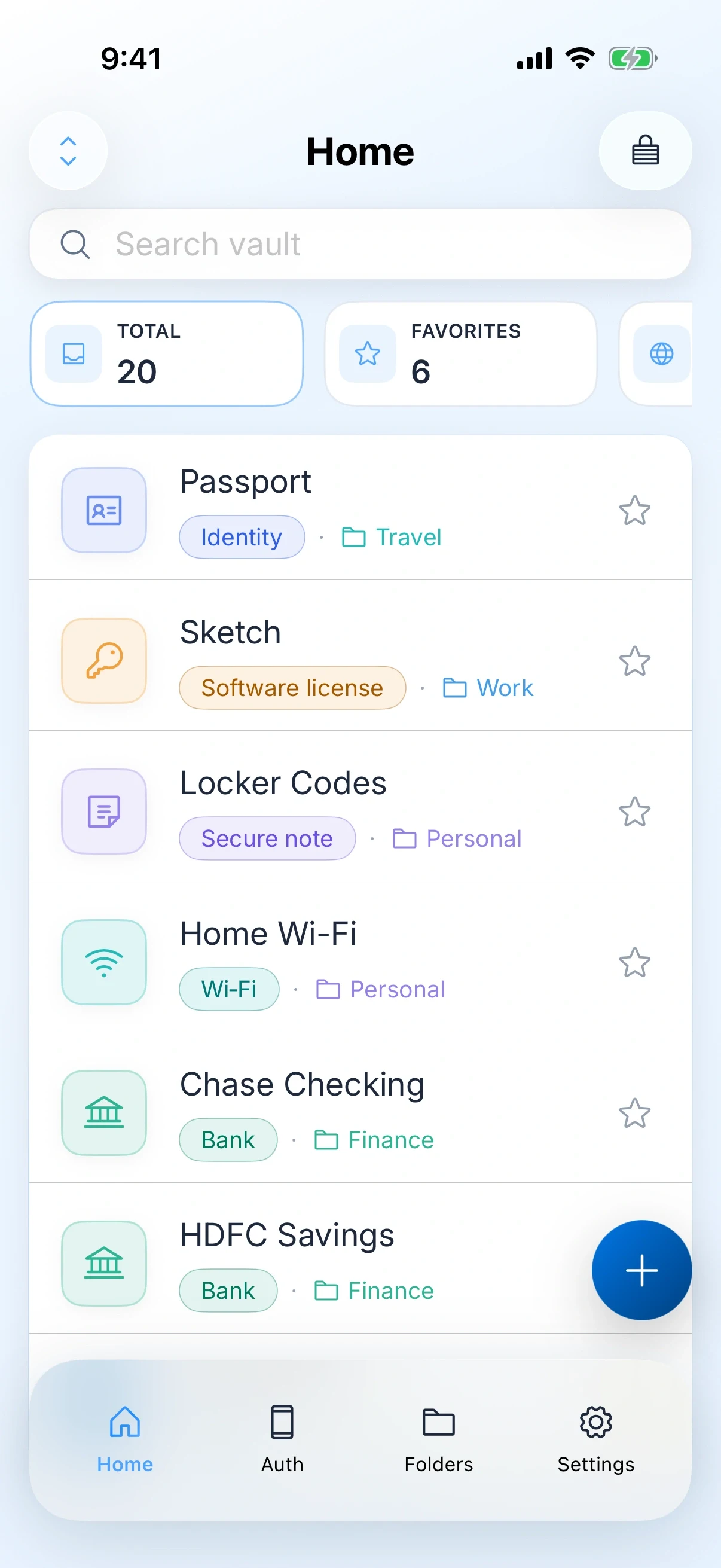
Your logins, cards and codes deserve a place of their own. Open your vault, find what you need, and carry on.
- Your key
- The master password is never received by us, and not resettable by us
- Health
- Breached, reused, weak and stale, every check run on the device
- Your iCloud
- Optional sync through your Apple ID. There is no Zen account
More than passwords.
Encrypted on your device first
Your vault is sealed with keys derived from your master password before any optional sync. We never receive that master password, so we cannot open your vault for you or for anyone else.
More than logins
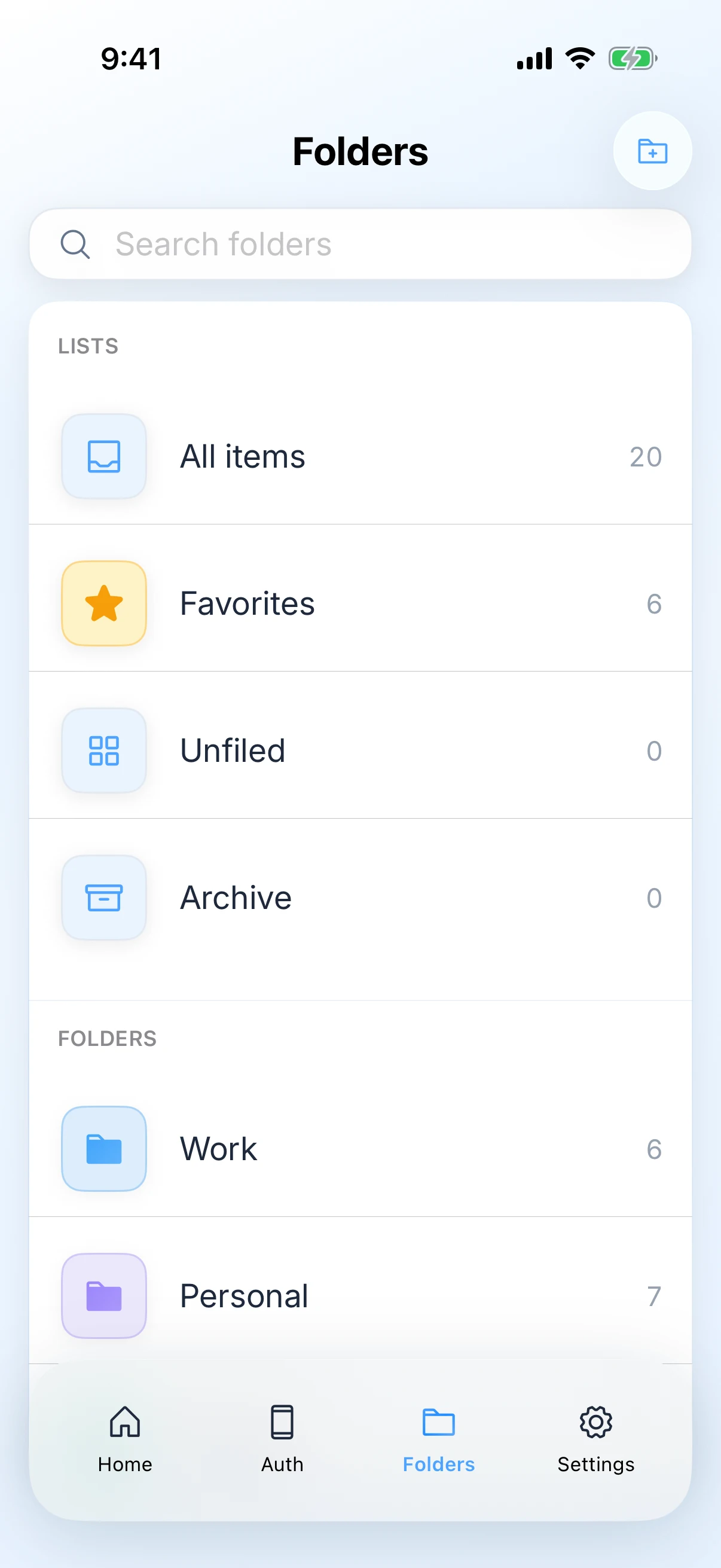
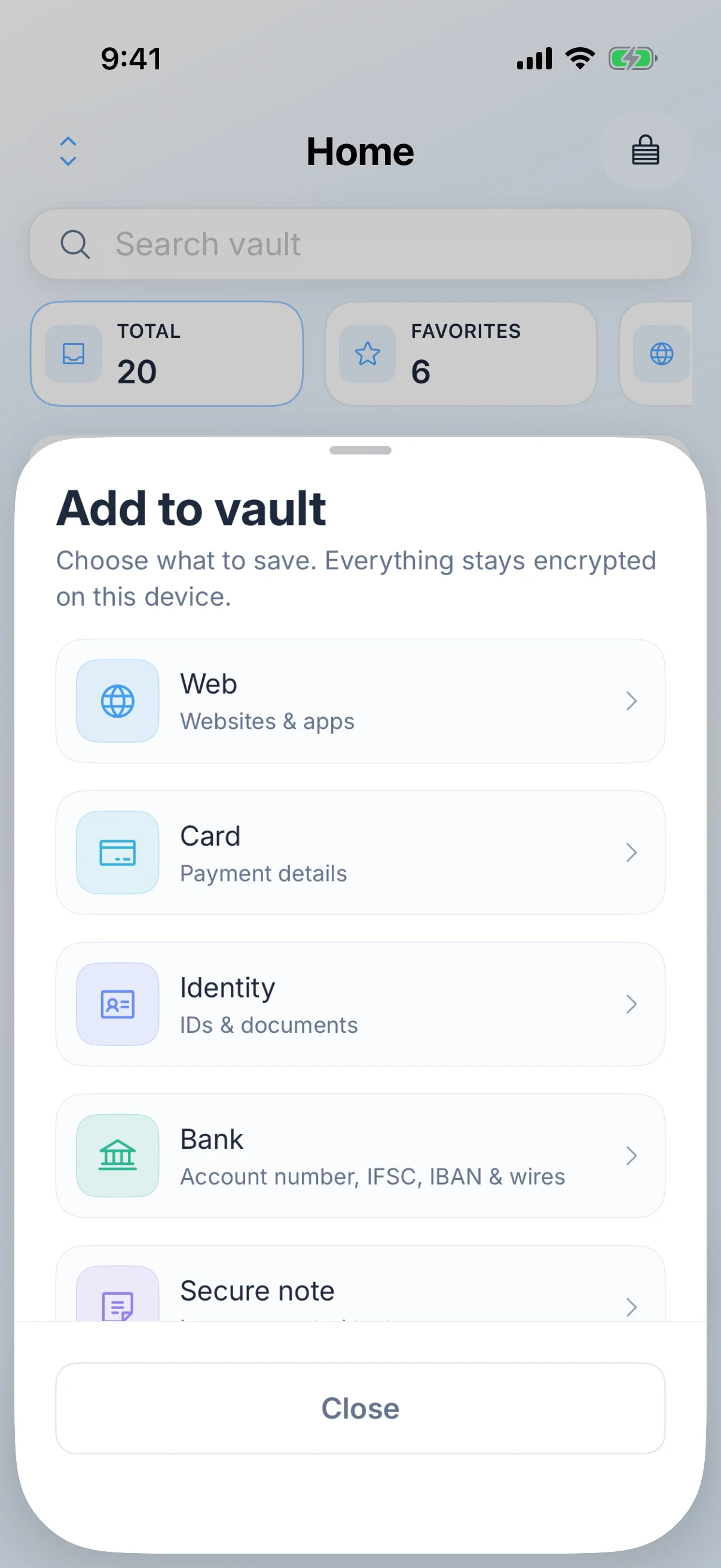
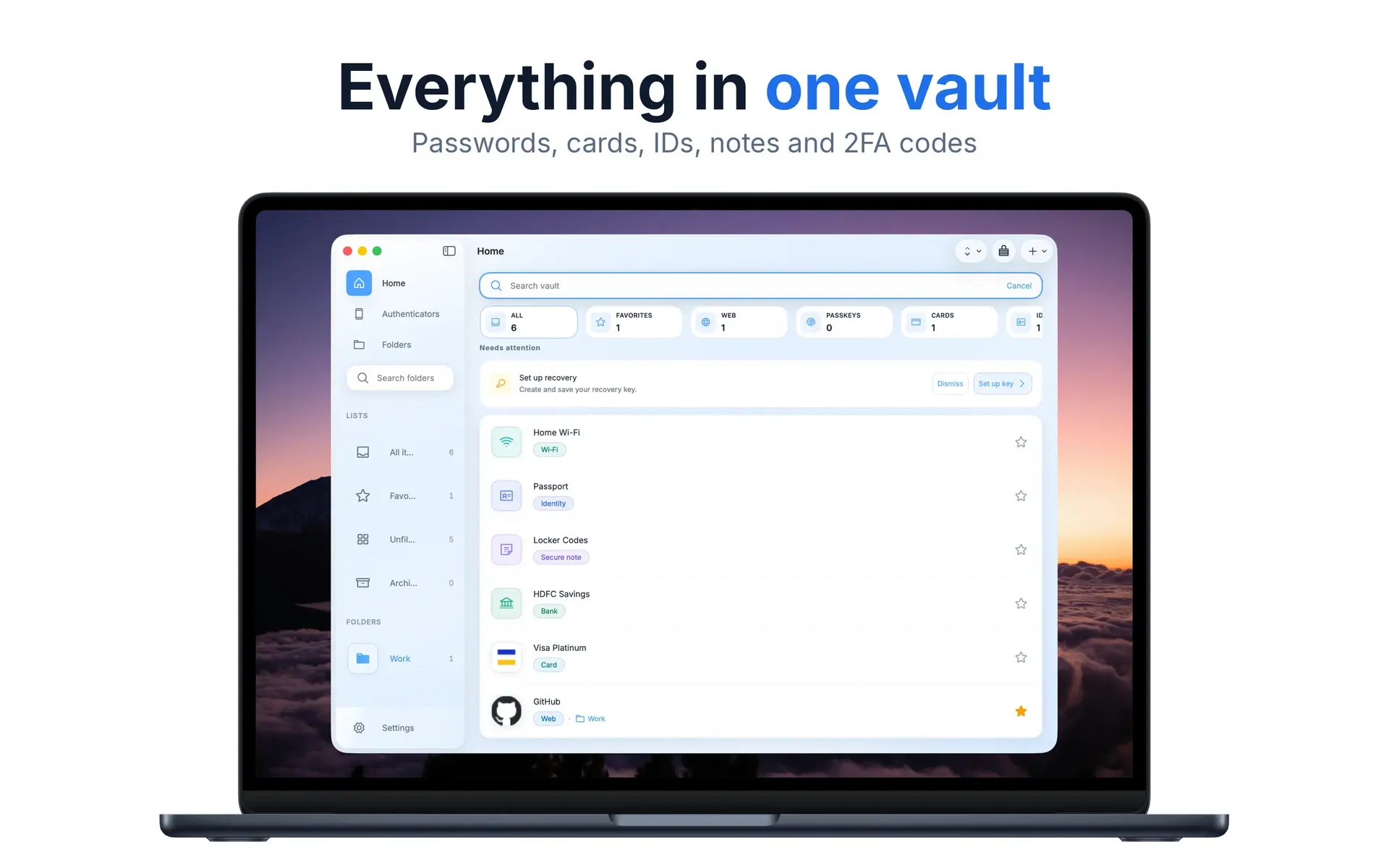
Seven kinds of thing live in the vault: web logins, payment cards, identities and documents, bank details, secure notes, Wi-Fi, and software licences. Passkeys and one-time codes sit inside the login they belong to, and you can attach photos to any entry, encrypted with it.

Your vault. Your devices.
Sync through your Apple ID, or stay local
Optional sync uses your private iCloud (CloudKit) under your Apple ID. There is no Zen Passwords account and no publisher-hosted vault server. Leave sync off and everything stays on the device.
Free to try on the App Store
Use up to five active items for free, then unlock unlimited items with Zen Premium if you need it. Apple shows price and billing before you buy.
Considered down
to the details.
Fills your logins where you need them
Turn Zen Passwords on as your AutoFill provider and it offers your logins in Safari and in other apps, on iPhone, iPad and Mac. It fills one-time codes so you are not copying them across, signs you in with passkeys, and offers to save a new password when you create one. A code shown next to a login carries a reminder to enter it only on the real site, because a convincing fake page can take it from you. It asks you to unlock first. The same settings offer optional read-only access for an Apple Watch and for widgets, if you want a login on your wrist without opening the app.
Unlock it the way you already do
Face ID, Touch ID or Optic ID unlock is optional on supported devices. Turn it on for speed, or leave it off and open the vault with your master password.
Your vault opens without us
Export an encrypted backup and open it from a terminal, with no app and no account, using our open source tool at github.com/zenproductsai/zen-cli. It runs on a Mac or on Linux, it is read only, and you build it from the source yourself, so you can read exactly what it does before it touches your vault.
The cryptography is published
The code that turns your master password into the key protecting your vault is public at github.com/zenproductsai/zen-vault-core, Apache 2.0 licensed, with test vaults produced by this app so anyone can check that it does what we say. The rest of the app is not open source, and it has not had an independent audit yet. We would rather write both of those down than have you find them.
Tells you which passwords are weak
Password health counts what you have been breached in, what you have reused, what is too weak, and what you have not changed in over a year. Reuse is found by comparing hashes, and every check runs on the device, so nothing about your passwords is sent anywhere to be graded.
A recovery key you can split
Save a recovery key yourself, or use social recovery and split it across people you trust, so no single one of them can open your vault but together they can help you back in. Losing a master password does not have to mean losing the vault.
Backups on a schedule, still encrypted
Export an encrypted backup whenever you like, or set one to run on a schedule into a folder you choose. The history lists every backup by date, destination and how many items it held.
Careful by default
The clipboard clears itself less than a minute after you copy something, the vault locks itself after a few idle minutes, and website icons are only fetched if you say so. A security log records what happened and confirms it has not been tampered with.
Seventeen themes, light and dark
Six light and eleven dark, or follow the system setting, so the vault looks like it belongs on your phone rather than like something bolted on.
No ads, and no reason to read your vault
There are no ads in the app and no business model that depends on your data. You pay for the app, if you choose to, rather than with what you store in it.
Two secrets,
in under a minute.
Take a closer look.
Zen Passwords, on iPhone and iPad and Mac. Explore every screen at your own pace.
Before you
make it yours.
You remember one master password. The vault holds the rest. We designed it so zenproducts cannot read what you save.
- Master password
- Never received by us, and not resettable by us
- Item types
- Logins, cards, identities, bank details, secure notes, Wi-Fi and licences
- AutoFill
- Logins, one-time codes and passkeys on iPhone, iPad and Mac
- Unlock
- Face ID, Touch ID or Optic ID, optional on supported devices
- Sync
- Optional iCloud through your Apple ID. There is no Zen account
- Password health
- Breached, reused, weak and stale, every check run on the device
- Recovery
- A key you keep, or social recovery split across people you trust
- Backups
- Encrypted, on demand or scheduled, with a history of every one
- Import
- An encrypted Zen backup, or an export from another password app
- Attachments
- Photos on any entry, encrypted with the entry itself
- Free tier
- Five active items. The real app, not a trial that expires
- Open source
- The cryptography and the terminal tool are public. The app is not
- Business model
- You pay for the app, or you do not. No ads, and nothing read from your vault
How is this different from Apple Passwords?
Apple Passwords is strong for everyday Apple logins, passkeys, Wi-Fi, and verification codes. Zen Passwords is a broader vault: payment cards, bank details, secure notes, software licenses, and related fields live next to your logins, with lock and clipboard controls aimed at that fuller set of secrets. Stay with Apple Passwords if system credentials are enough. Choose Zen Passwords if you want those extra item types in one encrypted vault on iPhone, iPad, and Mac.
Does it fill my passwords in Safari and other apps?
Yes, on all three devices. Switch Zen Passwords on as an AutoFill provider and your logins are offered in Safari and in other apps the way the built-in ones are, on iPhone, iPad and Mac. It fills one-time codes as well, so you are not copying a code from one app to another, passkeys work for creating and signing in, and it offers to save a new password when you create one. You unlock before anything is filled.
Do I need to create an account?
No. There is no Zen account and no sign-up. You create a vault with a master password on your device, and that is the whole setup. If you want the vault on your other devices, optional sync uses the iCloud that comes with your Apple ID, so there is still no account with us.
Do I have to pay a subscription?
Zen Passwords includes a free tier with up to five active items, then optional Zen Premium for unlimited items. On the App Store, Apple shows price and billing before you buy.
What if I forget my master password?
We cannot reset it for you because we never have a copy. That is intentional: if we cannot open the vault, neither can a stranger who somehow reaches our systems. It does not have to mean losing the vault, though. Save a recovery key somewhere safe, or turn on social recovery, which splits that key across people you trust so no single one of them can open your vault but together they can help you back in. Set one of the two up on the day you create the vault, not the day you need it.
Can anyone at zenproducts read my passwords?
No. Encryption happens on your device. We do not hold your master password, and we do not receive vault contents in a form we can read. Optional sync stores ciphertext in your private iCloud database under your Apple ID.
Does it tell me which of my passwords are bad?
Yes. Password health counts how many you have reused across sites, how many are too weak, and how many you have not changed in over a year. The checks run on your device against your own vault, so nothing about your passwords is uploaded to be graded and no list of your sites leaves the phone.
Can I keep a backup, and can I bring my old passwords across?
Both. You can export an encrypted backup whenever you like or set one to run on a schedule into a folder you choose, and the history lists every backup by date, destination and item count. Coming the other way, you can import from an encrypted Zen backup or from a file exported by another password app.
Does it work without the internet?
Yes for day-to-day use on your device. If you turn on sync, iCloud needs a network connection when devices need to catch up.

Your digital life. Under
lock.
Zen Passwords · iPhone · iPad · Mac
Download on the App StoreExplore all Zen apps